
 Load it live ↑
TheatreGRAND THEATRE · STALLS, CIRCLES
Load it live ↑
TheatreGRAND THEATRE · STALLS, CIRCLES
3D seat map · live, not a video
See the venue before you buy the seat.
SeatLayer is 3D seat map software for ticketing. Buyers orbit the venue, jump into any seat and look around from it. It is built from the same chart as your interactive seat map, so nothing is modelled twice, and the 2D map is always one tap away. Every chart opens in 3D automatically, on every plan, when you sell with SeatLayer and in the seat map SDK.
Jump into a seat
Centre stallsStalls D, Row F, Seat 7
Balcony, front rowGrand Circle E, Row B, Seat 7
Close to the stageStalls D, Row C, Seat 6
Lower tier, facing the stageSection 108, Row C, Seat 5
Upper tier, facing the stageSection 208, Row G, Seat 5
Side viewSection 114, Row I, Seat 9
Halfway line, lowerSouth Stand Lower, Row L
Halfway line, upperSouth Stand Upper, Row G
- Every chart opens in 3D, no conversion step
- In checkout hosted, embedded and SDK
- Live 3D view from every seat
- Up to 60,000 seats in 3D
Everything in the 3D seat map
A 3D seating chart with seat numbers: every seat is labelled with its section, row and seat number, in 3D just as on the 2D map. Every feature below is in the live demo at the top of this page and in the released SDK. Nothing here is a mock-up.
Explore the venue
- Orbit, pan and zoomDrag to rotate, Shift-drag to move, zoom to any stand, one tap back to the whole venue.
- Levels and areasJump straight to a level or area in stacked venues like opera houses and stadiums.
- Names on the venueStage, sections and tiers are labelled in 3D, so buyers know where they are looking.
- The real roomStage, screens, walls, rails, suites and entrances from your chart, with raked rows and stacked tiers.
- Live availabilityHeld, sold and not-for-sale seats show in 3D as they change.
- Filter by ticket typeShow only one price level's seats on the venue.
Sit in the seat
- Jump into any seatThe buyer lands in the seat and sees the stage or pitch from there, with row and seat number.
- Look around in live 3DDrag to look, pinch or scroll to zoom: a 360° seat view drawn live from the chart.
- Next and previous seatArrows step along the row, so buyers compare sightlines seat by seat.
- Recentre on the stageOne tap turns the view back to the stage or pitch.
- Seat, row, section locatorFinds one exact seat in a large bowl and frames it.
- Your own photosUpload photos or 360° panoramas per seat, row, section, floor or venue; they replace the live view there.
Buy from it
- Pick seats in 3DA seat chosen in 3D is the same seat in the cart, the hold and the booking.
- Find best seats togetherChoose how many seats; the best ones together are held and shown in 3D.
- Map and 3D, one selectionSwitch between the 2D map and the 3D venue without losing a seat.
- Full screen and phonesOpens full screen, and runs on phones for venues up to 30,000 seats.
- Hosted or embeddedThe same 3D in SeatLayer hosted checkout and in the picker on your own site.
- No extra chargeOpening 3D or a seat view never uses another sold-seat credit.
Build with it
- No 3D model to makeDraw the chart once in the Venue Designer; the 3D venue comes from it and stays in sync.
- Up to 60,000 seats3D for theatres, arenas and stadiums up to 60,000 seats; larger venues use the 2D map.
- SDK controlenable3D, setBuyerView("venue3d") and flyToSeatId open the venue or a seat from your own UI.
- Route and analytics hooksonBuyerViewChange mirrors view and seat into your URL; onAnalytics reports 3D opens, orbits and seat picks.
- Loads on requestNothing 3D loads until a buyer opens it; geometry is built off the main thread.
- Safe fallbackNo WebGL2 or a reduced-motion setting still gets the complete 2D map and calm camera moves.
One seating chart powers 2D and 3D
The 3D venue is derived from the chart you already publish: row and tier geometry become the bowl, and the stage, screens, walls, rails, suites and entrances the Designer knows about become the room around it. Nothing is modelled twice, whether the chart was drawn by hand, started from a template or built by an AI from a description of the room.
- Published 2D chartSections, rows, seats, tables, floors, price zones: the chart buyers already pick from.
- Geometry + landmarksRow curves, tiers and floors give the bowl its shape; Designer landmarks place the stage, screens, rails and suites.
- 3D venueOrbit, fly to any seat, look around. Held, sold and not-for-sale states and your theme carry straight through.
- Same selection stateA seat picked in 3D is the seat in the cart, the hold and the webhook.
- No second chargeOpening 3D never uses another sold-seat credit: one sold seat, one credit.
- Finds the seat in a big bowlSection → Row → Seat locator frames each level, highlights the seat, then offers the view from it.
A virtual seat view from any seat in the venue
Buyers pick a seat in 3D, land in it and see the stage or pitch from there before they pay. They can drag to look around and step along the row. Where the venue has uploaded its own photos or 360° panoramas, buyers see those instead. More on the view from any seat and where its media comes from, on what 3D ticketing means as a category, and on how this compares with 3D Digital Venue.
 Sit here, live
Grand TheatreStalls D, Row F, Seat 7The stage straight ahead, the grand circle above.
Sit here, live
Grand TheatreStalls D, Row F, Seat 7The stage straight ahead, the grand circle above.
 Sit here, live
Arena BowlLower Bowl D, Row 8B, Seat 12Close to a centre stage, with the tiers all around.
Sit here, live
Arena BowlLower Bowl D, Row 8B, Seat 12Close to a centre stage, with the tiers all around.
 Sit here, live
Uber Arena, BerlinSection 401, Row D, Seat 6An upper-tier seat, looking down over the whole bowl.
Sit here, live
Uber Arena, BerlinSection 401, Row D, Seat 6An upper-tier seat, looking down over the whole bowl.
Each card loads that venue in the live stage above and puts you in the seat. The view is drawn live from the published chart. It shows where the seat is and what it faces; it is not a photo or a certified sightline.
Six venue types, all live in 3D.
Pick a venue and it loads in the live stage at the top of this page: orbit it, jump into a seat, switch to the 2D map. Every one is a published template you can open free in the Designer.
3D is offered for venues up to 60,000 seats. Larger venues, like the 100,000-seat arena and the 200,000-seat stadium, open on the complete 2D map, with the same Section → Row → Seat locator.
Load it live ↑
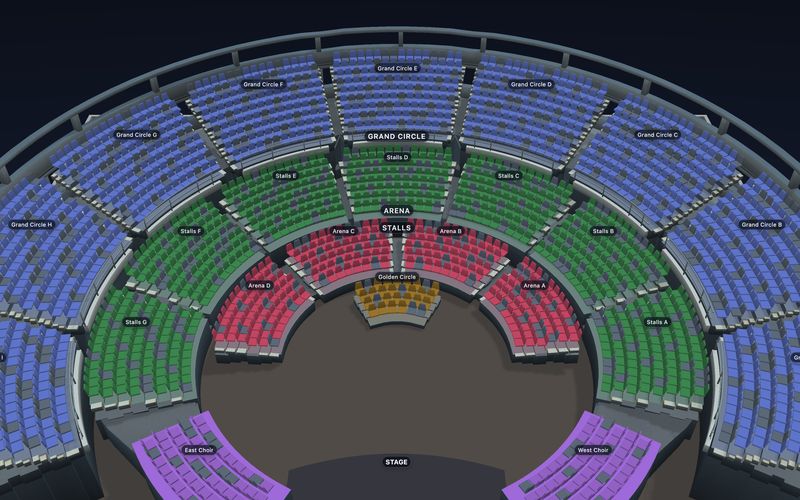
TheatreGRAND THEATRE · STALLS, CIRCLES
 Load it live ↑
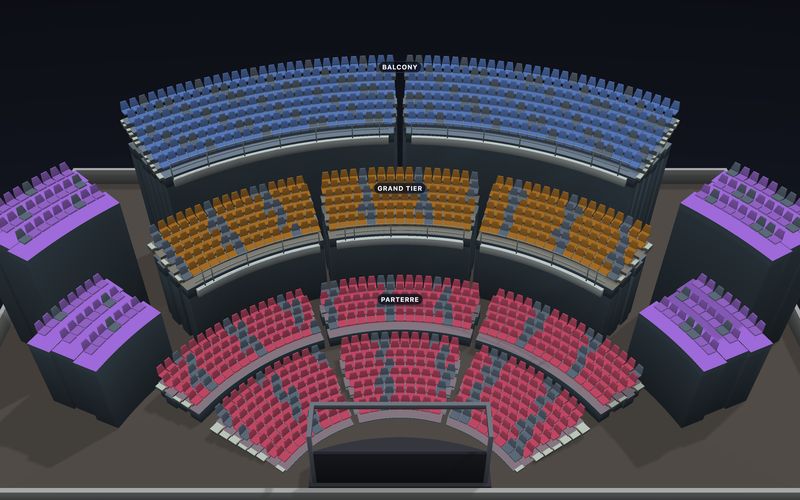
Opera houseOPERA HOUSE · STACKED TIERS
Load it live ↑
Opera houseOPERA HOUSE · STACKED TIERS
 Load it live ↑
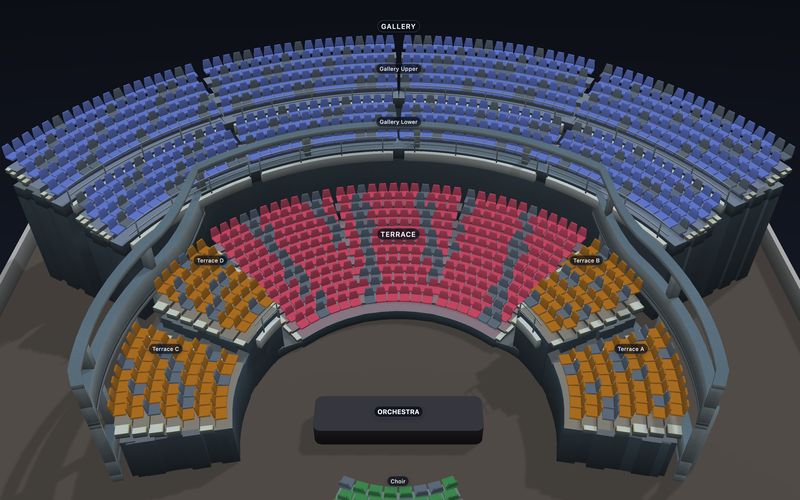
Concert hallCONCERT HALL · STACKED LEVELS
Load it live ↑
Concert hallCONCERT HALL · STACKED LEVELS
 Load it live ↑
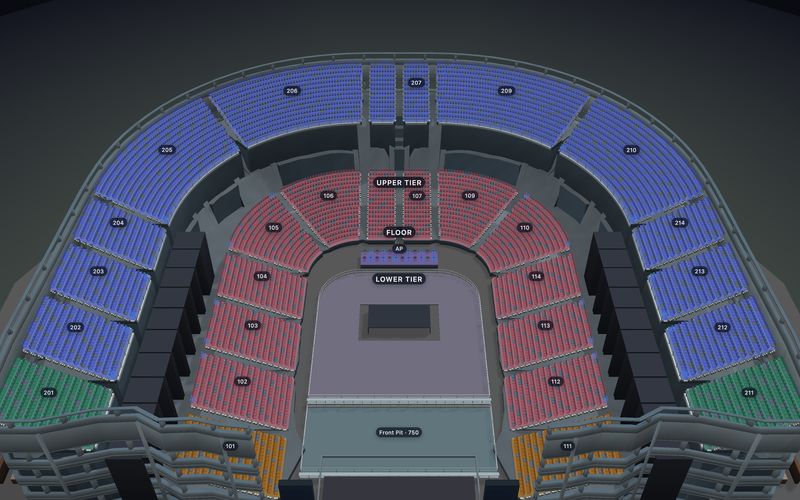
ArenaCONCERT ARENA · END STAGE
Load it live ↑
ArenaCONCERT ARENA · END STAGE
 Load it live ↑
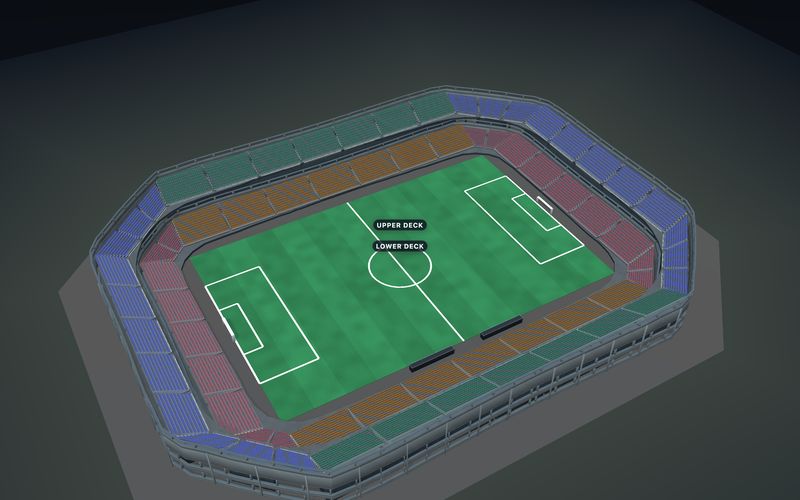
StadiumFOOTBALL STADIUM · LOWER AND UPPER STANDS
Load it live ↑
StadiumFOOTBALL STADIUM · LOWER AND UPPER STANDS
 Load it live ↑
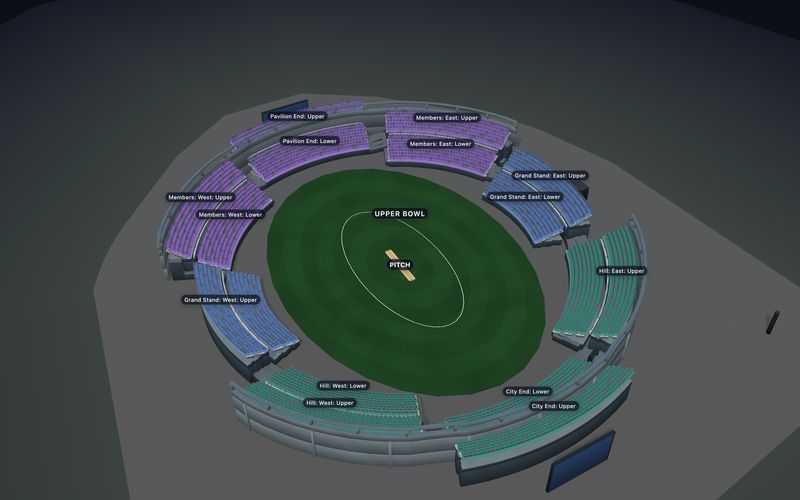
Cricket ovalCRICKET OVAL · NAMED STANDS
Load it live ↑
Cricket ovalCRICKET OVAL · NAMED STANDS
100,000-seat arena2D MAP AT ARENA SCALE · SECTION → ROW → SEAT LOCATOR
Open the 2D map →
200,000-seat stadium2D MAP AT STADIUM SCALE · SECTION → ROW → SEAT LOCATOR
Open the 2D map →
For developers: on in one line.
const picker = new SeatPicker({
  container: "#picker",
  event: eventKey,
  publicKey,
  enable3D: true,
  seatView: true
});

await picker.render();

// Buyers get Map / 3D; you can drive it too.
picker.setBuyerView("venue3d", { flyToSeatId: seat.id });
picker.setBuyerView("map");

// enable3D: false keeps the complete 2D map only.- Loads only when a buyer opens it, so the initial map does not load 3D assets.
enable3D: falseorseatView: falseswitch each part off. - Needs a capable browser (WebGL2); otherwise the complete 2D map. On phones the demo opens full-screen and the picker keeps the same Map / 3D switch.
onBuyerViewChangegives you the view and seat, so a route can restore or share it.- Respects reduced-motion; keyboard users keep Map/3D and the tour controls.
3D seat map software: common questions
Still have a question? or email hello@seatlayer.io.
What is a 3D seat map?
A 3D seat map shows the venue itself in three dimensions, so buyers can orbit the room, see how high and far each section is, and pick a seat with live availability. SeatLayer builds the 3D view from the seating chart you already publish: rows and tiers become the bowl, and the stage, screens, walls, rails and suites from the Designer become the room around it. It is optional, loads only when a buyer opens it, and the complete 2D map is always one tap away.
Can buyers see the view from their seat before they buy?
Yes. Every seat has a live 3D view: the buyer picks a seat, lands in it and sees the stage or pitch from there, can drag to look around, and can step to the next seat in the row with arrows. Where the venue has uploaded its own photos or 360° panoramas, at seat, row, section, floor or venue level, the closest one is shown instead. The view shows where the seat is and what it faces; it is not a certified sightline.
Do I need a 3D model or a 3D artist?
No. There is nothing to model. You draw or import the seating chart in the Venue Designer, start from one of 58 free templates, or describe the room to an AI, and the 3D venue comes from that chart. Change a row or a section and the 3D view changes with it, because both views read the same published chart.
How do I add a 3D seat map to my website or ticketing platform?
Three ways, all from the same chart. Sell through SeatLayer's hosted checkout and 3D is already there. Embed the seat picker on your own site and buyers get the Map / 3D switch. Or build it into your platform with the SDK: enable3D: true turns it on, and setBuyerView("venue3d") and flyToSeatId let your own interface open the venue or a seat.
Does SeatLayer have a 3D seating chart for stadiums and arenas?
Yes, for venues up to 60,000 seats: football and rugby stadiums, cricket ovals, ballparks and concert arenas all open in 3D, with the view from each seat. A Section, Row, Seat locator frames each level so a buyer can find one exact seat in a large bowl. Larger venues, such as the public 100,000-seat arena and 200,000-seat stadium demos, use the complete 2D map.
Does it work on phones?
Yes. The same picker offers Map / 3D on a phone, and the demo on this page opens the venue full screen there. On phones and low-memory devices 3D is offered for venues up to 30,000 seats; above that, and on any browser without WebGL2, the buyer gets the complete 2D map and checkout is unaffected.
Does the 3D view replace the 2D map?
No. The 2D map stays the complete way to browse prices, find a section and pick an exact seat, and it is always one tap away. The 3D venue is another view of the same seats, and a seat picked in either view is the same seat in the cart, the hold and the booking.
Does 3D cost extra?
No. One confirmed sold seat uses one credit whether the buyer chose it on the 2D map or in 3D. Opening the 3D venue or the view from a seat never uses another credit.
How is this different from a virtual venue like IOMEDIA or 3D Digital Venue?
Those are custom 3D models built for a specific venue, usually as a separate project with its own photography and upkeep. SeatLayer's 3D comes from the seating chart you sell from, so every venue you draw gets it, it shows live availability, and it stays in step with the chart when the layout changes. A custom model can look closer to the real room; the comparison with 3D Digital Venue goes through the trade-off.
Can I use my own photos or 360° panoramas?
Yes. Upload photos or 360° panoramas at seat, row, section, floor or venue level, and buyers see the closest one to the seat they picked. Seats with no photo keep the live 3D view, so you can start with none and add photos only where a view needs them, such as an obstruction.
Is 3D available in hosted checkout?
Yes. Hosted checkout runs the same published chart and the same buyer picker, so the 3D venue and the view from a seat behave there exactly as they do in an embedded picker.
Can I sell tickets with the 3D seat map without building a website?
Yes. Sell with SeatLayer and each event gets its own page with the 3D seat map and the view from every seat, a box office that sells from the same live map, and the SeatLayer iPhone app at the door. It costs $0.50 a ticket after the first 25, with no monthly fee, and buyers pay into your own payment account.