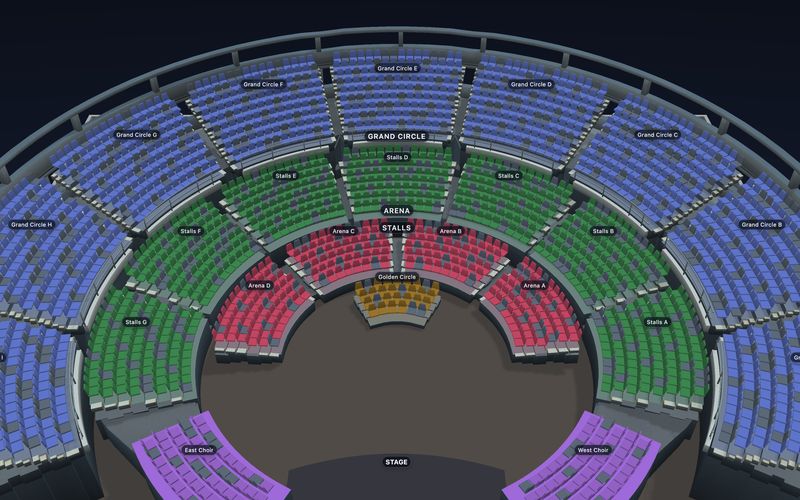
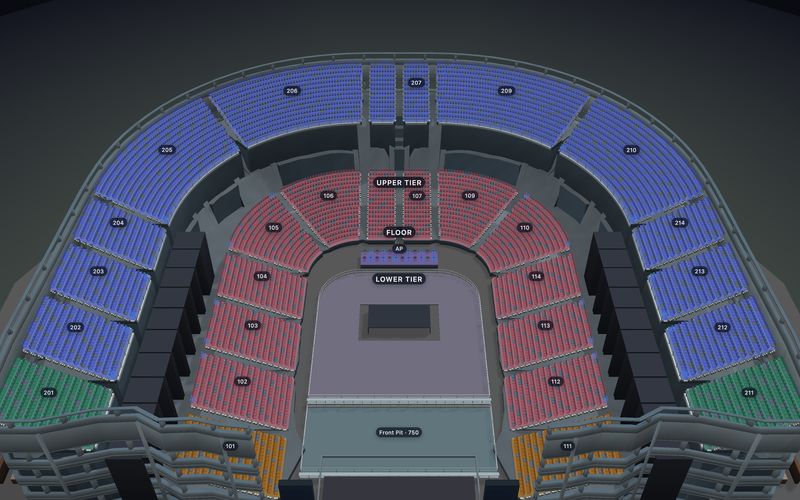
MANAGED RESERVED-SEATING EMBED

Sell reserved-seat tickets on your existing website.

Keep your event story on the site you already run. Add a complete SeatLayer buyer journey—live seat selection, connected payment, Order, ticket delivery and Door check-in—without building a commerce backend.

Start free. Every account gets 100 free credits each month, then prepaid credits from $0.10 down to $0.05 per confirmed sold seat. No subscription, no minimum commitment, and purchased credits never expire.

WordPress, Wix or HTMLStripe or RazorpayNo custom checkout backend
Explanatory composition of a reserved-seat picker embedded in an event website, followed by connected payment, ticket delivery and door check-in
EXPLANATORY PRODUCT COMPOSITIONThe nearby page copy is the released product contract.
3 website placementsInline picker, event card or buy button
1 managed checkoutThe same event and inventory beneath each
Your connected gatewayEligible Stripe or Razorpay account
Sell through entryOrders, tickets, refunds and Door tools
CHOOSE THE WEBSITE PLACEMENT

One event. Three ways to start the sale.

Choose how much of the buyer journey belongs on the page. Every option opens the same Managed checkout against the same live reserved-seat inventory.

yourvenue.com/events/opening-night
The Lantern TheatreEVENTS · VISIT · ABOUT
FRIDAY · 7:30 PM

Opening Night

Reserved seating at your venue

YOUR WEBSITE
Choose your seatsLive availability · managed by SeatLayer
Your seats

Row C · Seats 6–7


2 seats
$90
Total
$90
Continue to payment
<div data-seatlayer-event="your-event" data-layout="picker">HOSTED CHECKOUT
Review the Managed Ticketing boundary →
NOT JUST A SEAT MAP

The managed flow continues after the seat is selected.

SeatLayer holds the selected inventory, runs checkout through the eligible gateway assigned to the event, and keeps the resulting Order, tickets and entry state attached to that same managed event.

01 · SELECT

Buyer chooses exact seats

The published chart, categories, prices and live availability drive the choice.

LIVE INVENTORY
02 · HOLD

Seats are protected

A temporary hold prevents the same inventory being offered as free during checkout.

TIME-BOUNDED HOLD
03 · PAY

Connected gateway processes payment

The managed page uses the event's eligible Stripe or Razorpay connection.

ORGANISER GATEWAY
04 · DELIVER

Order and tickets are created

SeatLayer issues the seat-specific ticket, QR, printable PDF and confirmation email.

MANAGED ORDER
05 · ADMIT

Staff scan at the Door

The ticket verdict and attendance update against the managed event record.

VALID · CHECKED IN
The buyer surface is self-contained.

The hosted frame does not send public seat, hold, checkout or order-result messages to the host page.

Need your app to react or run checkout?

Use the SeatLayer SDK path; your backend then owns payment, commercial Orders and ticket fulfilment.

FROM VENUE TO PUBLISHED PAGE

Configure the event once. Paste the placement you need.

Checkout ownership, event visibility and the page placement are separate decisions. That keeps testing private and makes going live deliberate.

  1. Build or reuse the venue chart

    Publish the reserved seats, tables, sections, categories and labels buyers should see. The chart can be reused across later performances.

    VENUE DESIGNERREUSABLE CHART
  2. Create a Managed Ticketing event

    Add the complete event details, prices and on-sale rules, then explicitly choose SeatLayer checkout for this event.

    EVENT DETAILSPRICESSALES READINESS
  3. Connect and assign the gateway

    Connect an eligible organisation-level Stripe or Razorpay account, then assign the compatible mode and currency to the event.

    STRIPERAZORPAYTEST / LIVE MATCH
  4. Choose access and placement

    Keep the event private while testing, restrict it to an approved embed, share an unlisted link, or make it public. Then choose inline picker, event card or button.

    PRIVATEEMBED ONLYUNLISTEDPUBLIC
  5. Paste, verify and open sales

    Preview the published website, check responsive placement and the fallback link, complete the required payment preflight, and open sales only when every readiness check passes.

    RESPONSIVEFALLBACK LINKPAYMENT PREFLIGHT
ONE CLEAR COMMERCIAL BOUNDARY

Your event and gateway. SeatLayer's managed sale.

The embed is a placement over Managed Ticketing, not a marketplace listing and not a seat-map-only SDK integration.

THE ORGANISER OWNS

Your website and commercial decisions

  • Event identity, description, imagery and policies
  • Ticket prices, on-sale timing and event support
  • The eligible Stripe or Razorpay account assigned to the event
  • Whether buyers use embed-only, unlisted or public access
SEATLAYER MANAGES

The reserved-seat sell-to-entry flow

  • Published seating, live availability and temporary holds
  • Hosted checkout and the SeatLayer Order ledger
  • Ticket, QR, printable PDF and confirmation/resend email
  • Supported refund with inventory release and Door check-in
BUYER PAYMENTEligible connected gateway

The event's Stripe or Razorpay connection handles the payment path.

ORGANISER RELATIONSHIPYour gateway account remains yours

SeatLayer does not turn your existing site into a marketplace storefront.

What selling through the embed costs

One credit is used when a seat is first confirmed sold. Embedding the picker, holds, releases, house blocks and unsold inventory cost nothing.

Launch offerYour first live event adds 500 bonus credits, valid for 90 days.

See the complete credit ladder →

Need something that is not listed? If you need a payment provider beyond Stripe or Razorpay, or a capability you cannot find here, tell us — gateway and feature requests come straight to the team. Send a request →

EVERY MONTH 100 free credits

Included on every account, with no subscription and no minimum commitment.

BEYOND THE ALLOWANCE $0.10 → $0.05

Per confirmed sold seat. $50 buys 500 credits; the rate falls to a $0.05 floor at volume.

UNUSED BALANCE Never expires

Purchased credits stay available until a confirmed sold seat uses them.

PAYMENT PROCESSING Separate

Your connected gateway’s fees, taxes, enterprise terms and entitlements apply separately.

THE SAME MANAGED EVENT AFTER CHECKOUT

Online sales, venue operations and entry stay on one inventory.

The website placement starts the sale. Managed organiser tools continue it without creating a second seat map or a disconnected attendee list.

OR

Orders

Search the managed commercial ledger and review buyer, payment, seat and ticket state.

MANAGED COMMERCE
TK

Tickets

Open the seat-specific credential, resend confirmation or retrieve its printable PDF.

QR · PDF · EMAIL
BO

Box Office

Sell authorised counter inventory against the same managed event and seat state.

IN-PERSON SALES
CR

Control Room

Monitor live inventory, holds, booked seats and operational interventions during the on-sale.

LIVE INVENTORY
DR

Door

Scan the issued ticket, distinguish ticket verdicts and track event attendance.

EVENT-SCOPED ENTRY

Placement does not change ownership. The Hosted Event Page, managed embed and optional Organizer Website all distribute the same Managed checkout. If you need SeatLayer to supply only inventory infrastructure inside a larger ticketing product, use the SDK/API product.

BEFORE YOU PASTE THE EMBED

The important questions, answered plainly.

The distinction is simple: Managed Ticketing completes the sale; the SDK hands a protected seat selection back to your own commerce system.

Compare Managed embed and SDK →
Can I sell reserved-seat tickets directly on my existing website?

Yes. Create a Managed Ticketing event, connect an eligible Stripe or Razorpay gateway, then paste an inline picker, event card or buy button into a WordPress, Wix or custom HTML page. SeatLayer runs the self-contained seat-selection and hosted-checkout flow.

Do I need to build a payment or ticketing backend?

No custom commerce backend is required for the managed embed. SeatLayer manages the hold-to-payment-to-Order-to-ticket journey through the eligible gateway connected to the event. If your application must run its own checkout or react to seat-selection callbacks, use the SeatLayer SDK product instead.

Where does the ticket money go?

Payment is orchestrated through the organiser's eligible connected Stripe or Razorpay account. SeatLayer usage is billed separately: every account gets 100 free credits each month, then prepaid credits from $0.10 down to $0.05 per confirmed sold seat, with no subscription or minimum commitment and no expiry on purchased credits. Payment-provider fees and taxes can still apply.

What happens after a buyer pays?

Managed Ticketing creates the SeatLayer Order and the seat-specific ticket, QR code, printable PDF and confirmation email. Organiser tools can resend tickets, manage supported refunds with inventory release and scan the credential at the Door.

Will the embed work without JavaScript?

The generated block includes a normal link to the hosted buyer page. If the widget script is blocked or unavailable, buyers still have a keyboard-accessible route to the event. The organiser should keep that fallback link in the pasted block.

START WITH ONE MANAGED EVENT

Keep the website you have. Add the reserved-seat journey it is missing.

Create the venue and event, connect an eligible gateway, test the complete sale, then paste the placement that fits your page.