Workspace isolation
Each organizer's charts and events are kept apart. Your keys, webhooks and billing stay in one account.
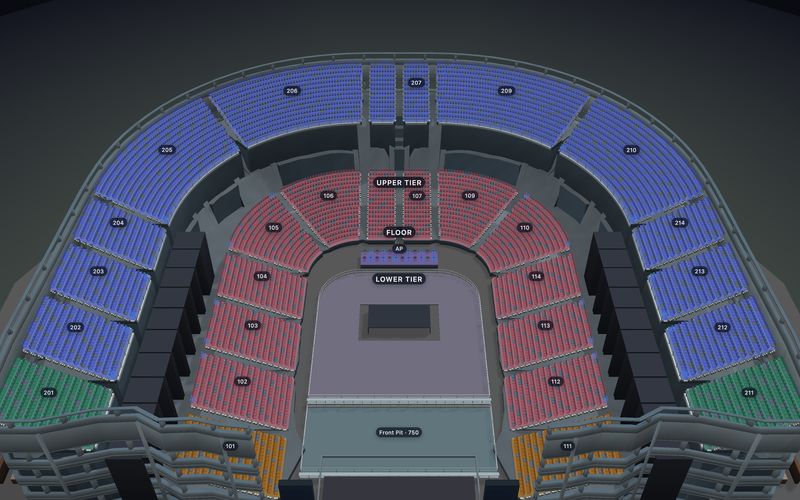
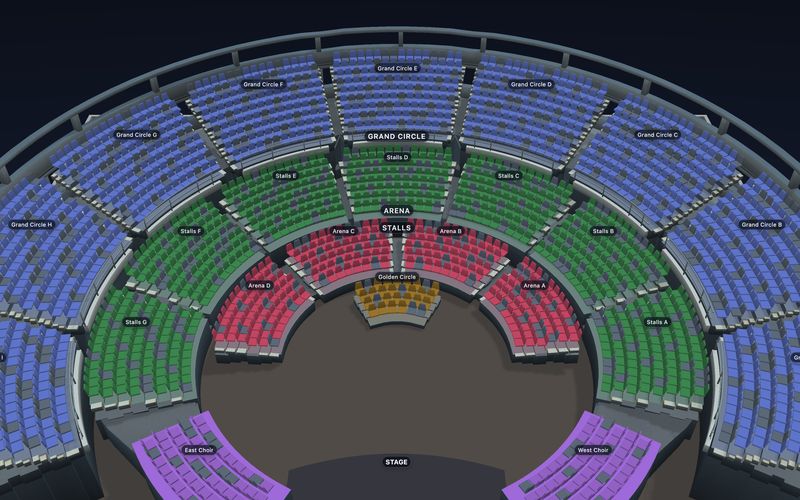
One workspace per organizer. Their charts and events live inside your product; your checkout, payments, tickets and customer records do not move. Each tenant gets its own charts and its own interactive seat map.
The engine is ours: SeatLayer builds the seat map, the Designer, live inventory and 3D, and runs its own hosted ticketing on the same engine. How it compares
POST /v1/workspaces { name, externalRef: "org_123" }
POST /v1/charts/{masterId}/duplicate → publish → POST /v1/events
One isolated workspace per organizer; their charts and events inherit it. Your ids travel as externalRef.
new SeatPicker({ event: eventKey, publicKey,
onCheckout: (_, __, handoff) => sendToServer(handoff.holdId) })
For public sale, the SDK receives chart and inventory directly from SeatLayer, then hands one temporary hold to your application. Your backend is not in the chart-load path.
hold = GET /v1/events/{eventKey}/holds/{holdId}
charge(hold.items)
POST /v1/events/{eventKey}/book { holdId, bookingRef }
Your backend rechecks the hold, takes payment, and confirms the sale. Account secrets never reach the buyer browser; one webhook endpoint hears every organizer.
Tested on public venue files with simulated buyers, September 2026. How we measured loading · How we measured buyers · Every run on GitHub
Each of your organizers gets its own workspace, fully separated from the others. Your own ids travel with every chart and event, so you never keep a mapping table.
| Your product | SeatLayer |
|---|---|
| Venue / layout | Reusable chart |
| Performance, departure or timed session | Event with independent inventory |
| Tenant, organizer or customer account | Workspace |
| Cart reservation | Hold |
| Inventory committed for a paid order | Inventory booking |
| Your stable resource id | externalRef |
Each organizer's charts and events are kept apart. Your keys, webhooks and billing stay in one account.
Organizers draw charts inside your CMS and run the live seat board inside your admin. Your secret key never reaches their browser.
Online holds and sales, blocks, the box office and partner allocations all work on the same live seats.
One webhook URL for all organizers. Each message is signed and tells you which organizer it belongs to, and retries never double-count.
The control panel is a live board for each event. Add it to your admin with the SDK and your organizers watch sales, holds and blocks as they happen, and run the event without leaving your product. Each person sees only the tools you allow.
Your server decides each operator's tools; no secret key reaches the browser. Embedded control panel guide ↗
Big events rarely sell through one door. Set aside seats for sponsors, agencies, presales and the box office, invite each partner with their own login, and watch every channel sell from the same live seat map. It works whether you sell with SeatLayer or through your own checkout with the SDK.
Switching vendors? Click the organizer's floor plan into a chart and keep them selling. Building counter sales too? Review the reserved-seating Box Office workflow.
Add reserved seating without moving your buyers, money, orders or support into another system.
Six calls, two of them in the browser. Steps 04–06 are the same buyer flow the seat map SDK integration guide walks through in code.
Scope the organizer's charts and events to a workspace. API keys, webhook endpoints, team membership, and billing remain organization-wide.
Open the Designer in your CMS with a short session limited to that organizer's chart and the actions you allow.
Publish a chart version and create the reserved-seating event in test or live mode.
SeatPicker loads with the event id and your public key, holds the buyer's seats and shows live changes. For private sales, your server hands it a buyer token instead.
Read current hold status, mode, expiry, and line items before payment. Confirm with a stable bookingRef.
One endpoint for every organizer: check the signature, route to the right organizer, and handle each message once even when it is retried.
Open any template to try the Designer, the buyer map and the 3D view before you write a line of integration code.
Still have a question? or email hello@seatlayer.io.
Try the released buyer flow, then bring us your tenancy, checkout, or migration questions when an architecture conversation is useful.