EXPLAINER · 3D TICKETING

What is 3D ticketing?

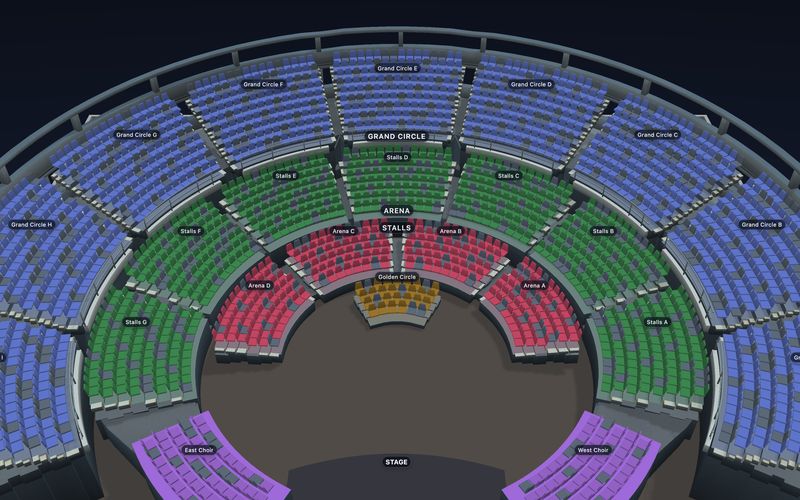
3D ticketing is selling event tickets through an interactive 3D view of the venue, where the buyer orbits the room, previews the view from a seat, and picks the seat they will actually sit in. It is not a separate product bolted onto a seat map: the same published seating chart draws the 2D map, builds the 3D venue and resolves the view from each seat—so the seat chosen while orbiting the bowl is the seat that enters the hold, the cart and the booking record.

Discuss 3D for your venue →

3D adds venue context to live seat selection; the complete 2D map remains available. Performance and conversion depend on the venue, device, and buyer journey.

DEFINITION + MECHANICS RUNS IN THE BROWSER REVIEWED 25 AUG 2026
3D TICKETING · HOW THE VIEW IS DERIVED ILLUSTRATION
How a 3D ticketing view is derived from a seating chart A generic cross-section of a raked auditorium: stepped rows rising away from a stage, seats shown as dots, and an amber sightline from one highlighted seat to the stage. It is a diagram, not a capture of the product. STAGE THIS SEAT RAKE, ROWS AND LEVELS COME FROM THE PUBLISHED CHART MAP 3D
Illustration of rake, rows and levels resolving into a sightline from one seat. A diagram, not a product capture — the live demo below is the real thing.
Open the live 3D venue
No headset, no appa browser with WebGL2 is enough
No extra credit3D does not consume another sold seat
2D always complete3D is a progressive enhancement
One published chart2D, 3D and seat views from one document
HOW 3D TICKETING WORKS

Four things happen, and none of them leaves the picker.

The phrase describes a buyer journey more than a technology. Here is that journey as it actually runs, step by step, in a released implementation.

WHAT THE BUYER DOES

Orbit, focus, look out, buy.

  • Open the venue. The buyer starts on the complete 2D map and enters the 3D venue through a built-in Map/3D switch, when the device and chart allow it.
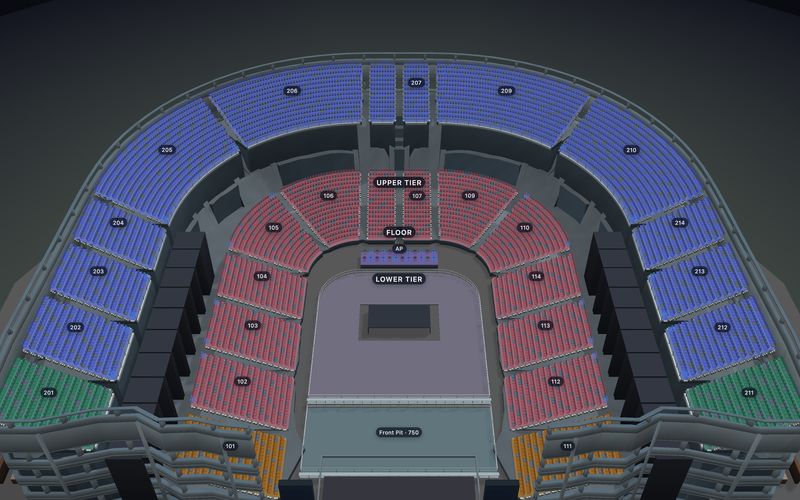
  • Orbit and compare. Height, rake, levels and orientation come from the published chart, so a balcony reads as a balcony rather than a coloured block.
  • Fly to a seat. A locator drills Section → Row → Seat, frames each level and highlights the exact seat—no hunting for one dot in a full bowl.
  • Look out from it, then take it. A clearly labelled 360° view opens from that position, and selecting the seat creates the same hold as selecting it in 2D.
WHAT MAKES IT A TICKETING FEATURE

Live inventory, not a presentation.

  • Seats carry real state—free, held, sold, blocked—and that state changes underneath the buyer while 3D is open.
  • Selection and availability stay synchronized between the 2D map and the 3D scene, so nothing is lost moving between them.
  • Choosing a seat in 3D runs through the same controller path into the same hold, booking reference and signed webhook.
  • Accessible, table, booth, section, zone, label and floor information stays consistent across both views.

A virtual venue tour shows the space. A 3D seat map lets a buyer choose a seat with live inventory. See how SeatLayer's 3D seat map is built.

WHERE THE PICTURE COMES FROM

Geometry is derived. Imagery is sourced, in a defined order.

Two different things are often bundled under "3D ticketing": the venue model, and the view from a particular seat. They are produced differently and carry different guarantees.

THE VENUE MODEL

Built from the chart you already published.

Rows, rake, levels and orientation come from the seating chart itself, so authoring the venue once produces both views and there is no second model to keep in sync.

Explore Venue Designer →
THE VIEW FROM THE SEAT

Authored imagery first, generated preview last.

A seat- or row-level image wins, then a floor-level fallback, then a venue-wide fallback, then geometry. Generated previews are labelled as generated.

Read the view-from-seat source model →
THE BESPOKE ALTERNATIVE

A custom venue twin buys fidelity, at a maintenance cost.

Purpose-built architectural models can look more like the specific room. They also introduce a separate modeling, review and maintenance workflow per venue.

SeatLayer vs 3D Digital Venue →
3D TICKETING · THE VIEW FROM ONE SEATRELEASED PRODUCT
A 3D ticketing view from a theatre stalls seat, looking over other spectators towards the stage with the seat label Stalls C D-6 shown
What the buyer sees from seat Stalls C D-6 before paying — captured from the public demo 25 Aug 2026.
WHAT 3D TICKETING REQUIRES

What 3D ticketing requires.

"3D" sounds like a project. With chart-derived 3D the work is the chart, and everything after that is configuration on a picker that is already mounted.

  1. 01

    A published seating chart.

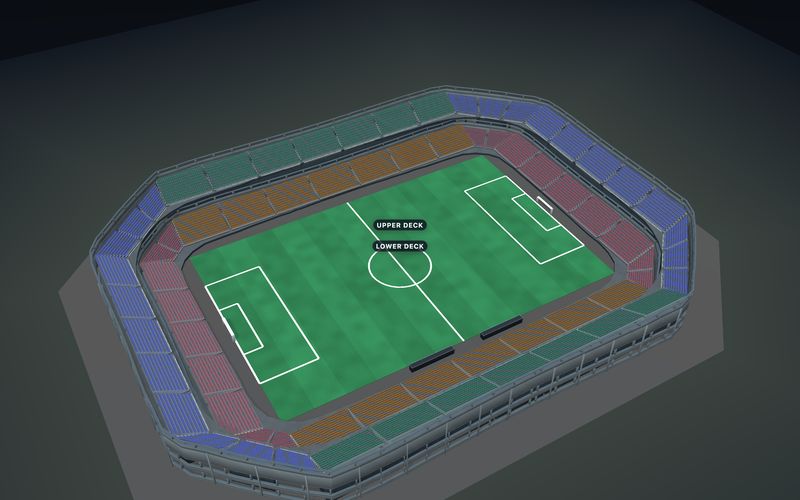
    Rows, rake, levels, sections and orientation are what the 3D scene is built from. In the current reviewed catalog, 35 of 51 templates carry released relief; 16 physically flat rooms stay flat by design, because pretending otherwise would be a lie about the room.

  2. 02

    A browser with WebGL2.

    No headset, app or plugin. 3D is shown only where WebGL2 is supported, lazy-loaded only when a buyer enters it, and always paired with the standard 2D map—so an unsupported device loses nothing but the extra view. Enabling it is enable3D: true with seatView: true on the picker; the SDK guide to the 3D buyer view has the full option set.

  3. 03

    Optionally, your own 360° imagery.

    Authored panoramas take precedence over generated previews and can be added progressively—start with one venue-wide image and add row- or seat-level captures where sightlines genuinely affect the decision.

What buyers should know: a geometry-generated preview is not photography, an exact architectural twin, or a venue-certified restricted-view assessment. Pointer and touch buyers can orbit the scene; keyboard users retain the map, navigation, and guided controls. Reduced-motion preferences limit camera motion.

WHO SHIPS IT, AND HOW

Choose an embedded booking flow or SeatLayer-hosted surfaces.

3D ticketing arrives the same way ordinary seat selection does. Both routes share venue geometry, live inventory and the same optional 3D; the difference is who presents checkout.

PRIMARY · SDK + API

Put the 3D venue inside the product you already operate.

Origin-restricted embed keys and short-lived sessions narrow browser authority. Your trusted server re-inspects the hold, prices the order, takes payment, books idempotently and reconciles signed webhooks.

  • Browser: render map or 3D, select, and return a hold identifier.
  • Server: payment, orders, tickets, refunds and customer authority.
Review the seat map SDK and API →
SECONDARY · HOSTED RESERVED SEATING

Publish the event and run the house with your own gateway account.

Connect the organizer's Stripe or Razorpay keys so payment goes to its account. SeatLayer can provide the event page—3D included—plus Box Office, Control Room, ticket issue and door tools.

Boundary: The organizer's connected Stripe or Razorpay provider controls processing fees, applicable taxes, and payout timing; SeatLayer bills Hosted Ticket usage separately and is not the organizer's CRM.

Sell 3D tickets on your website →

Optional 3D uses the same published chart, loads only when opened, and does not consume another sold-seat credit—see how sold-seat credits are billed.

3D TICKETING QUESTIONS

The definitional questions, answered plainly.

What is 3D ticketing?
3D ticketing is selling event tickets through an interactive 3D view of the venue, where the buyer orbits the room, previews the view from a seat, and picks the seat they will actually sit in. In practice it is not a separate product from the seat map: the same published seating chart draws the 2D map, builds the 3D venue and resolves the view from each seat, so the seat chosen in 3D is the seat that enters the hold, the cart and the booking record.
How do ticketing sites show a 3D view from your seat?
Two ingredients are needed: venue geometry, and an image or model for the sightline. SeatLayer takes the geometry from the published chart — rows, rake, levels and orientation — and resolves the view from a seat in a defined order: a seat- or row-level image the organizer authored, then a floor-level fallback, then a venue-wide fallback, then a preview generated from the geometry. Buyer UI distinguishes an authored image from a generated preview, so nothing generated is presented as photography.
Does 3D ticketing cost more?
Not with SeatLayer. Optional 3D uses the same published chart, loads only when the buyer opens it, and does not consume another sold-seat credit. Every Platform/SDK organization receives 100 free SDK seat credits each month; after that, $50 buys 500 confirmed-sold-seat credits at $0.10 each, whichever view the buyer used to choose the seat. Designing charts and running in test mode are free with no time limit, so the 3D journey can be evaluated end to end before anything is spent.
Do buyers need special hardware for 3D ticketing?
No headset, no app, no plugin — it runs in the browser. The 3D venue is shown only when the browser supports WebGL2, is lazy-loaded only when a buyer actually enters 3D, and is always paired with the standard 2D map. If 3D is disabled, unsupported, withheld for a constrained context or fails outright, the complete 2D picker and checkout continue unchanged, because 3D is a progressive enhancement rather than a requirement.
What is the difference between a virtual venue tour and a 3D seat map?
A virtual venue tour shows the space; a 3D seat map sells the seat. A tour is a presentation asset — walk the concourse, look around a suite — and it usually ends where the transaction begins. A 3D seat map carries live inventory: seats show as free, held, sold or blocked, selection stays synchronized with the 2D map, and choosing a seat in the 3D scene creates the same hold as choosing it in 2D. If the buyer cannot pick a seat inside it, it is a tour.
What does 3D ticketing require from the venue?
With chart-derived 3D, the work is the chart. Authoring the venue once — rows, rake, levels, sections and orientation — produces both views, so there is no separate 3D modeling project. In SeatLayer's current reviewed catalog of 51 templates, 35 carry released relief and 16 physically flat rooms remain flat by design. Organizer-authored 360° imagery is optional and can be added progressively for the positions where sightlines most affect the purchase; where none exists, a labelled geometry-generated preview is used instead.
JUDGE IT, DON'T READ ABOUT IT

Try the released 3D buyer journey.

The demos use the released product, not a render or mock-up. Open one, fly to a seat, look out from it, and see that seat remain selected on the 2D map.

Discuss 3D for your venue →